I tried the AI slop detector you can add to your web browser

Even before the mass availability of generative AI, navigating the modern internet could often be an arduous and disheartening task.
Social media platforms employ predatory algorithms constantly hunting for attention, surfacing content that prioritises engagement over quality.
There has been some positive movement in this regard, with companies like Meta and TikTok beginning to add features that allow users to tune their algorithms or view content only from those they follow.
But at the same time, the average digital experience, from social media platforms to the workplace, is becoming increasingly saturated by what has been quickly and accurately termed “AI slop”.
The rapid advancement and adoption of generative AI tools such as LLMs and image or video generators has led to a barrage of AI-generated content penetrating the social feeds and Slack messages of the average person, whether they are a white-collar worker in London or a pensioner quietly browsing Facebook from the countryside.
AI can be a useful tool, within the workplace and without, but it can also be easily misused, and there are a growing number of internet users, including yours truly, who have become fatigued by the ubiquity of online content generated by LLMs.
While I do not begrudge the occasional AI-generated piece of code, event flyer, or recipe, there are many situations in which I would rather know whether what I am consuming is AI or not.
AI-generated copy and media is a favourite tool for those creating disinformation and inflammatory content online, but even if generative AI was used without any of these direct negative effects, I would still prefer to direct my attention and engagement to content that is created by a human, or at least to know its provenance so I may choose for myself.
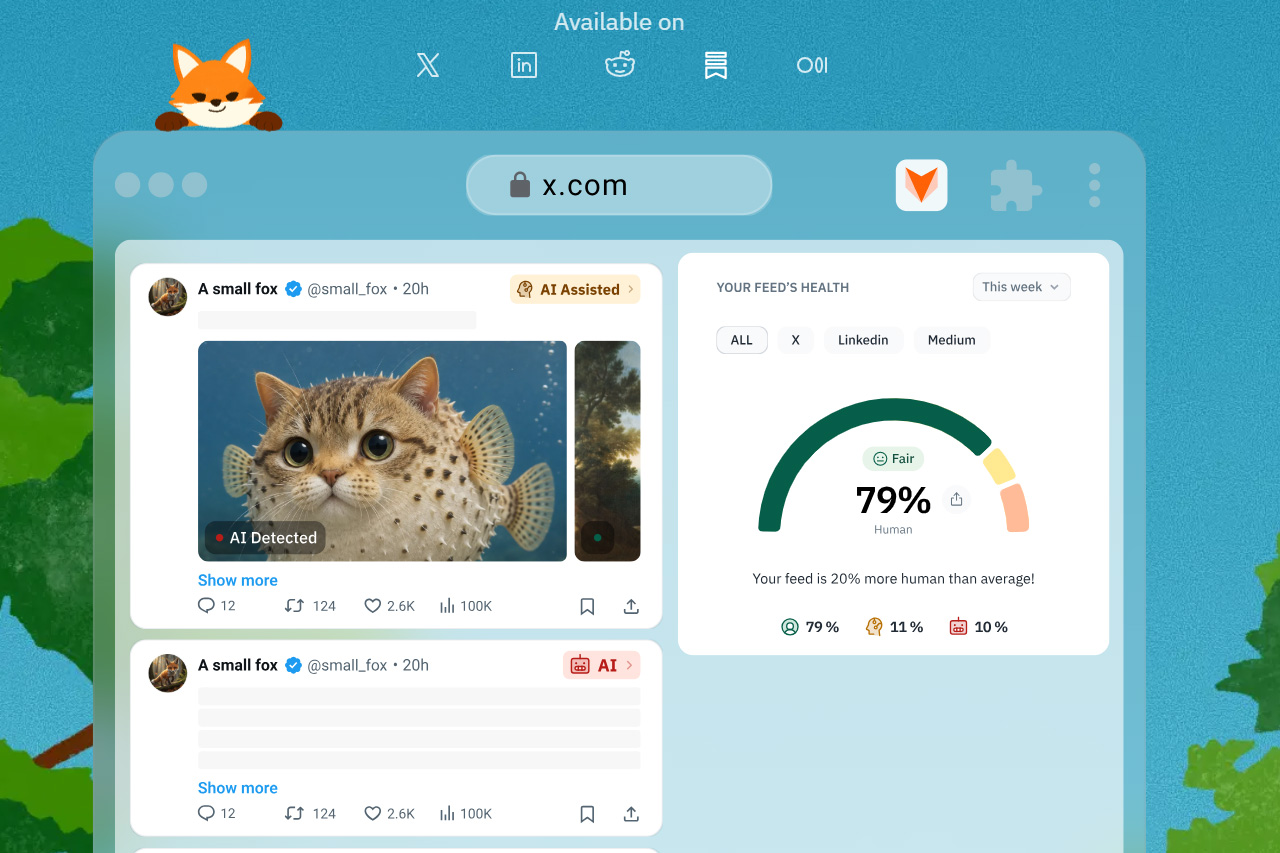
For this reason, I decided to try Pangram, a Chrome browser extension that automatically detects AI-generated words, images, and videos.
Pangram is one of the best AI detection tools currently available, and can be used either directly from the website by pasting text, images, or a URL, or it can automatically scan your social feeds and other content through its browser extension.
Fighting back against the AI slop
I began by installing the Chrome extension from the Pangram website and creating a free account with the platform.
This process was straightforward, and while the free account does not automatically scan your social feeds, it allows you to paste text and images into the AI detector from any page, directly through the extension.
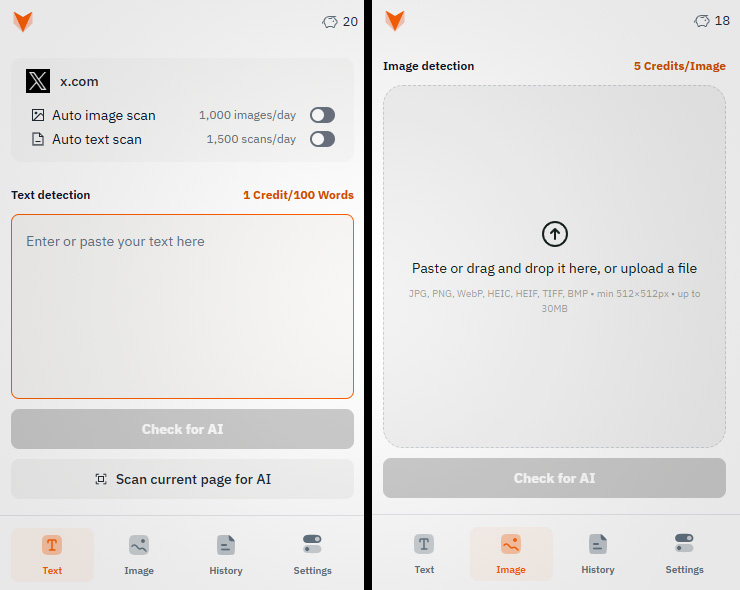
On the free plan, you are able to use 20 credits per day, which allows you to scan up to 2,000 words or 4 images. Your credit balance is used across both the Pangram website and the extension interface.
I wanted to do more than just manually plug content into the detector, though, so I signed up for the platform’s paid Individual plan, which is priced at $20 per month.
This unlocks the key feature of the Pangram extension: automatic scans of your social media feed for AI-generated content, including text and images.
It allows you to scan up to 300,000 words, 600 images, or 50 min of video per month, and supports automatic flagging of AI-generated content on X, LinkedIn, Medium, Substack, Reddit and many other platforms.
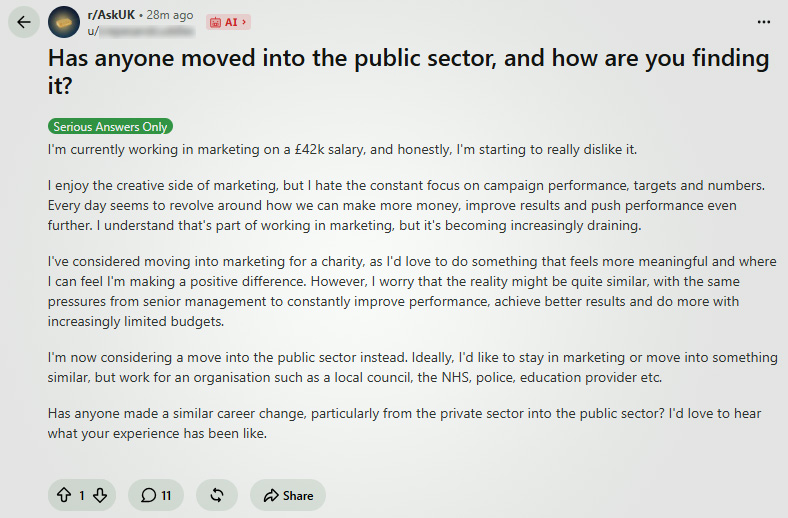
After upgrading to the Individual plan and navigating to a few social media websites, the effect was immediate. I was able to, at a glance, verify whether written and media content was created by a human or generated by an AI.
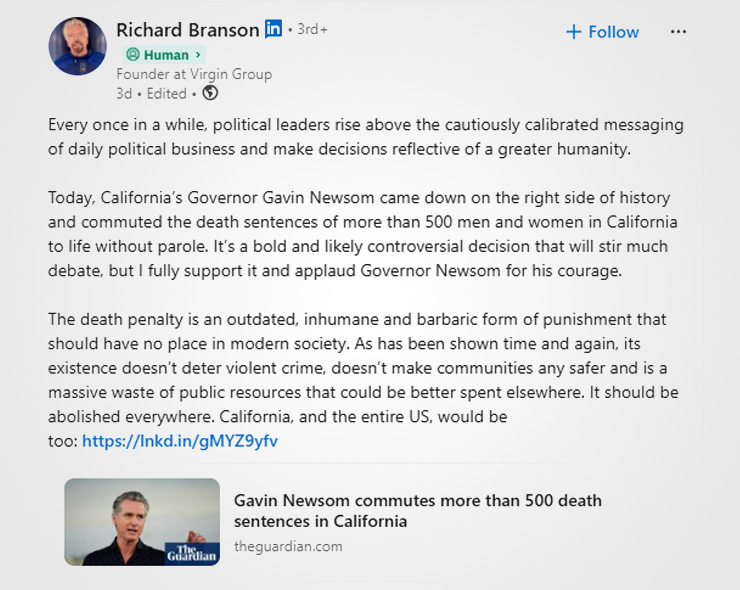
While it does not combat the aggressive nature of the algorithms on these platforms, it does make it far easier to parse.
With this plugin installed, I was now able to see which content is AI-generated and then make a judgement of whether to attempt digesting it, as opposed to my previous routine of abandoning content halfway through upon discovering it to be hollow LLM output.
The service also provides you with a health indicator that gives you an idea of how much AI content is appearing in your social feeds compared to others, so you can judge whether the accounts you follow or your algorithm is serving you an especially egregious amount of slop compared to others.
The tool is not perfect, though. I did find that Pangram’s automatic scanning made some social platforms run slowly, especially X, which lagged noticeably after enabling auto-scanning.
One of the most useful features of the application, even if auto-scanning is disabled, is the ability to quickly right-click on any text or image to check whether it is AI-generated. This is a great feature for a quick check on whether an image is real, or whether a long text post is particularly worth engaging with, and it can be used on any website, even platforms for which Pangram does not support automatic scanning.
Users on the paid plan can also run content through Pangram on its website, where they can also use AI video detection to determine if a clip is generated by AI, at a cost of 1 credit per second.
How effective is Pangram, really?
Pangram can only accurately scan text that is more than 50 words long, as its accuracy increases proportionally with the number of words it is ingesting.
The tool claims it is highly accurate, though, even when employed against the latest frontier LLMs. It has a false positive rate of less than 1 in 10,000, which it achieves through iteratively training a sort of counter-AI model on AI-generated content.
The industry of AI detection is relatively nascent, but Pangram seems to be by far the most effective tool on the market today. It can reportedly detect Claude Opus 5 and GPT 5.6 content with 99.8% and 99.6% accuracy, respectively.
It also integrates similarity checking for plagiarism detection, which it runs in parallel with its AI detection mechanism.
Pangram is used by many universities and companies around the world, and it has been integrated into many enterprise AI detection tools including Made By Humans, a tool launched by the Press Gazette to help protect newsrooms and readers from AI fakes.
In my short time using Pangram while browsing the web, I could immediately see the appeal of an interface that automatically filters out AI content for you. It also supports AI detection in Google Docs, making it ideal for helping you to direct your attention appropriately when collaborating on documents with colleagues.
With ‘AI fatigue’ becoming an increasingly common complaint from many internet users, this sort of AI detector is likely to become increasingly useful, especially amongst those of us who would happily pay to have an automatic filter that cuts down on the amount of slop we have to pay attention to.