All the new features coming to Android 17 – including vibe-coded widgets

Key Points
- Android 17 has officially been announced, and it comes with a host of AI-enabled features.
- Users will be able to use powerful new AI assistant features, and they will be able to vibe-code their own widgets to customise their interface.
- Android 17 will add Pause Point, which aims to help users control screen time, as well as improvements to video editing with Instagram and general device security.
- Android Auto will also be overhauled, and the launch will be accompanied by a new set of 3D emoji.
Google has officially unveiled the latest version of its Android operating system, which delivers a raft of new features.
From overhauling AI capabilities with Gemini Intelligence to implementing features aimed at reducing screen time, Android 17 brings a massive upgrade a host of changes.
AI is at the heart of the latest update for Android, with Google explicitly stating that it aims to turn the software into an intelligent operating system that evolves according to the user’s needs.
Android 17 is currently rolling out in beta, and if you have an eligible Google Pixel device, you can enrol in the Android Beta programme to try out the new operating system today.
If you have a Pixel 6 or newer, you will be able to get the Android 17 Beta.
Below are all the new features coming in the next version of Android.
Gemini Intelligence
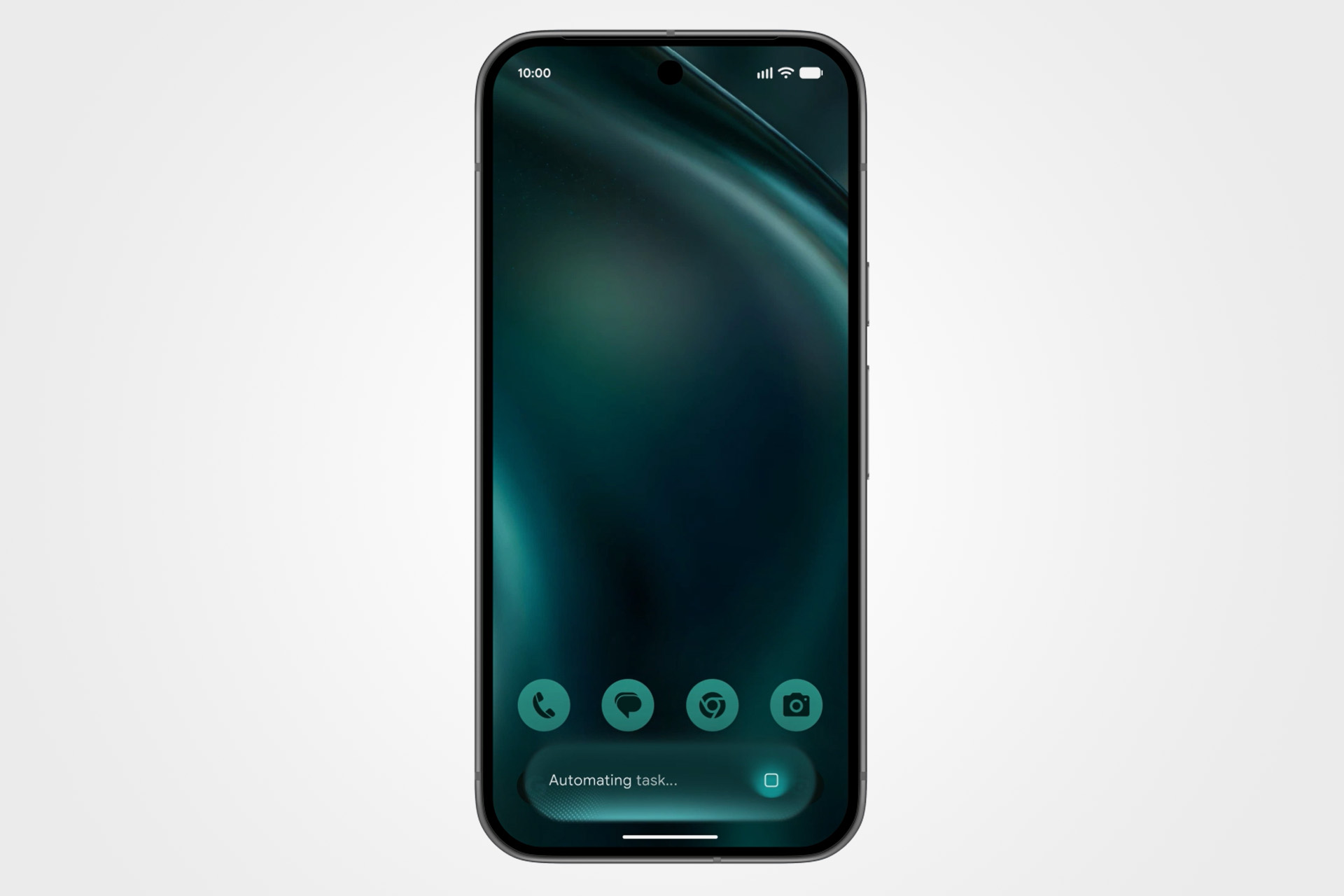
The marquee feature of the new Android operating system is Gemini Intelligence, a massive upgrade to Google’s Gemini assistant that integrates AI features more directly in the Android 17 experience.
Rolling out to Samsung Galaxy and Google Pixel phones in the coming months, Gemini Intelligence delivers an experience similar to an AI agent living on your smartphone.
It integrates with a growing number of applications and supports tasks within Chrome, which makes it a supercharged digital assistant capable of interacting across services with multi-step tasks.
The example Google gives is of a user who takes a photograph of a tour brochure and asks Gemini to book the tour for them. Gemini is able to open the Expedia app, prepare the relevant tour information and return a ready-to-book trip to the user.
Gemini works on these multi-step tasks in the background, allowing you to continue browsing while it works on your request, and it pops up as a notification when it requires your input.
AI browsing and autofill on Chrome
As part of the rollout of Gemini Intelligence, Android 17 will feature Autofill with Google and Gemini in Chrome.
Gemini in Chrome will see Google’s intelligence more directly embedded in your search experience, helping you to research, summarise, and compare content across the internet.
The addition of Chrome auto browse will also allow Gemini to handle simple tasks for you from the Chrome browser, such as changing a shopping order or booking parking for an event.
Android 17 will also bring AI to autofill, where Gemini will source your relevant data from connected applications to fill out forms on your behalf.
For those worried about the security and privacy implications of this feature, it is strictly opt-in, and it can always be turned off in the relevant settings menu.
AI-generated widgets
Continuing its philosophy of “how much AI can we cram into your phone”, Google has also brought Gemini to a hallmark of the Android experience – widgets.
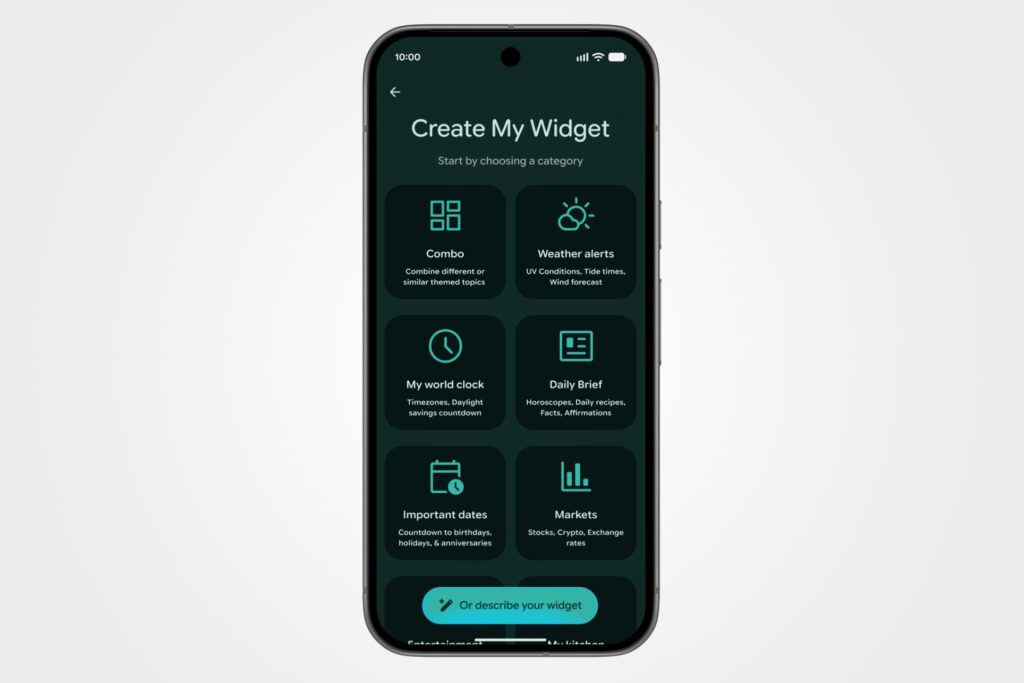
Using Gemini Intelligence, users will be able to build entirely custom widgets just by describing how they want it to work.
Ask your phone to create a widget that suggests a new running route every Monday, or lists new recipes you would like to try. Essentially, Android 17 will allow you to vibe-code the UI of your smartphone.
Rambler voice-to-text
Text-to-speech will also get an AI-powered overhaul on Android 17 with the introduction of Rambler, a Gemini Intelligence-enabled feature that provides much improved transcription.
According to Google, Rambler will transcribe your speech in real time and omit the various “ahs” and “ums” that punctuate most natural talking.
It uses Gemini’s multi-lingual model to support seamless switching between languages, even while dictating a single message.
Pause Point
Android 17 is not all about AI – it also comes with a new feature to help pull you out of a doomscrolling spiral before it begins.
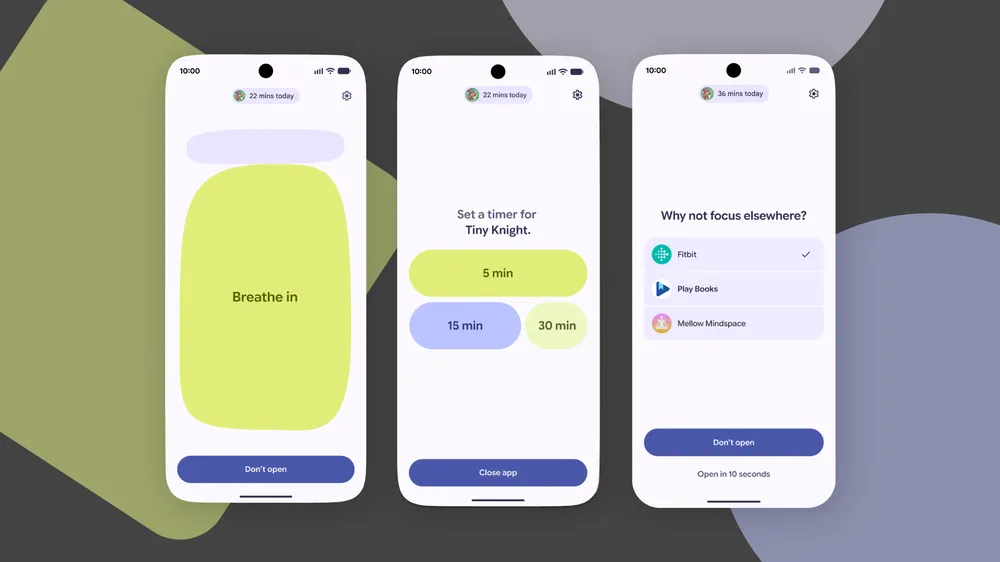
Pause Point is a new feature that allows you to define distracting applications and adds a 10-second pause before the app is opened.
This pause screen can be set up to encourage you to breathe in, set a time for your app usage, or jump to alternative apps.
Instagram tools and reaction videos
Good news for the influencers running Android – the upcoming version of the OS will allow you to film a reaction video in real-time with Screen Reactions.
This feature allows you to record yourself and your screen in real time, allowing you to easily overlay your response over a screen recording without external editing tools.
Google has also partnered with Meta to improve the Instagram experience on the latest version of Android, and it has integrated its on-device AI with Instagram’s Edits app.
This allows you to use AI to upscale and enhance images and videos at the tap of a button, and to separate out audio tracks.
Android Auto overhaul
Android Auto is also getting a full refresh, which Google said is tailored to look and fit great on any car screen, from circles to rectangles.
The overhauled Android Auto shares Android 17’s new design language and features support for a range of widgets as well as Immersive Navigation, which allows you to navigate using a 3D view of your surroundings that better help you to navigate tricky junctions.
Android Auto will now also support playing videos on apps like YouTube, which transition to audio-only when you are driving.
Gemini Intelligence will also be integrated in Android Auto, allowing it to helpfully suggest replies to messages, alternative routes, and more.
New emoji
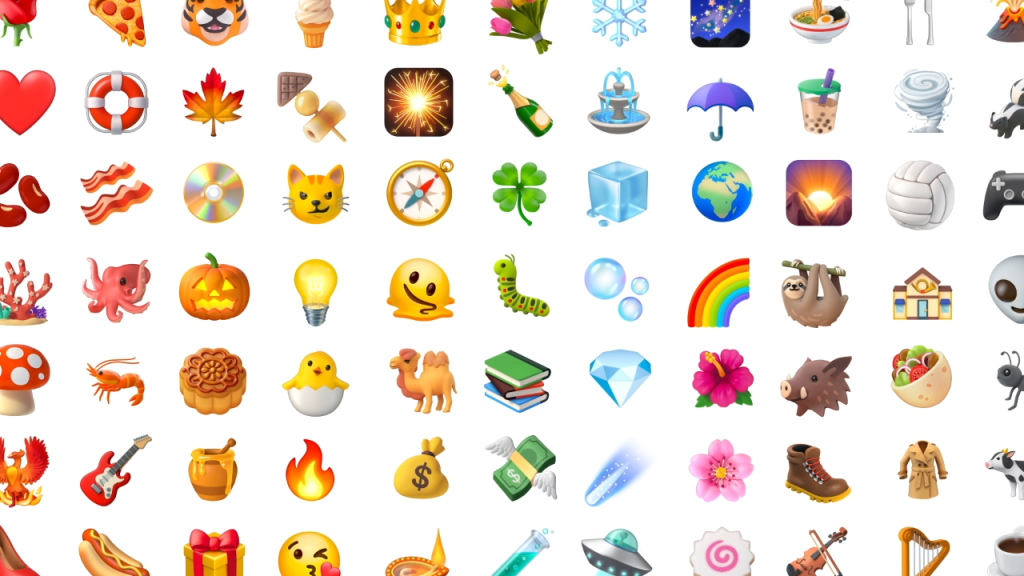
Android 17 will bring with it a new range of Noto 3D emoji, which Google said are designed to bring a touch of physicality to your emoji-laden texts.
“From our beloved innocent blob emoji of the 2010s to Noto 3D, the new emoji collection we announced today, emoji are the universal language of our digital lives and they’ve never felt more alive,” Google said.
Check out some of the new emoji available in Android 17 below.
Quick Share to Airdrop
Google had already launched the ability for Pixel users to quickly share files with iPhones through its Quick Share to Airdrop functionality, and it is now rolling this out to more devices.
This year, Samsung, OPPO, OnePlus, Vivo, Xiaomi, and HONOR devices will also support this functionality.
Apple has also worked with Google to make it much easier to migrate between Android devices and iPhones.
Now, when you transfer from iOS to Android, you can easily take your passwords, photos, messages, apps, contacts, and homescreen layout with you.
This upgraded migration process also supports transferring your eSIM to the new device, and will be available on Samsung Galaxy and Google Pixel devices later this year.
Security upgrades
As with previous iterations of the operating system, Android 17 will include a number of security enhancements and safeguards, some of which will be rolled out to previous versions of the OS.
Google has launched enhanced spam call protection in partnership with banks and financial institutions to help defend against scammers impersonating these institutions.
If you have a participating bank’s app installed, Android will quietly verify incoming calls in the background, proactively ending these calls if the bank does not confirm they are legitimate.
Revolut is the only UK bank supported for now, but more partners will add support later this year.
AI will also be used to help protect users against scam s and suspicious behaviour, which means your Android 17 smartphone could warn you about apps that are abusing permissions or forwarding messages.
Google has also introduced new anti-theft features in Android 17, which allow you to mark a device as lost and force fingerprint authentication over a regular PIN, while also preventing thieves from turning off your device and disabling new Wi-Fi and Bluetooth connections.